Trip.com eSIM Review: The Cheapest Way to Get Data Across Asia
Staying connected across Asia is expensive. Roaming charges from Canadian carriers will drain your budget before you even land. We used Trip.com eSIM for 175 days across Asia on two phones, and it was the cheapest, most reliable option we found. Here’s the honest breakdown.
| Overall rating | ⭐⭐⭐⭐⭐ 4.8 / 5 |
| Countries used | Japan, Thailand, South Korea, China, Vietnam, Malaysia |
| Time tested | 175 days, 2 phones |
| vs. Airalo | 20 to 40% cheaper per country |
| Refund when it failed? | Yes. Support refunded the part we had not used. |
| Worth it? | Yes. We switched from Airalo and have not looked back. |
The China eSIM alone has over 1.5 million bookings. Japan scores highest at 4.7 out of 5.
This post contains affiliate links. If you purchase an eSIM through our links, we earn a small commission at no extra cost to you. We only recommend products we personally use and trust. Read our full Affiliate Disclosures.
We’ve been using Trip.com eSIM since day one of our 202-day trip across Asia. Before this trip, every trip we took, we used Airalo. It worked fine. We never questioned it. Then I came across the Trip.com eSIM section while booking something else on the app, compared the prices side by side, and haven’t looked back since.
Read this before your next trip. It will save you money.
Here’s the thing about traveling, especially long-term: data is not a nice-to-have. It’s how you navigate a city where you don’t speak the language. It’s how you find the restaurant that’s actually good. It’s how you book the train you’re about to miss. It’s how you call your parents when the time zones finally line up. Being without data, even for a few hours, genuinely disrupts your day in ways that are hard to explain until it happens.
So when I found Trip.com’s eSIM prices, I tested it in China first, fully expecting to find the catch.
There wasn’t one.
Heading to China? That is the hard one thanks to the Great Firewall. Jump straight to our China test →
What Is Trip.com eSIM?
Trip.com is one of the largest travel booking platforms in the world, with over 400 million users. Most people use it for flights, hotels, and attractions. What most people don’t know is that it sells eSIMs for over 200 countries, and the prices undercut almost every dedicated eSIM provider we’ve compared it to.
No physical card. No airport lineup. You buy the plan, scan a QR code, and you’re connected the moment you land.
Trip.com eSIM Prices: What We Actually Paid
One plan per person, per country. These are our actual Trip.com orders.
And here’s something worth knowing: I got discounts on some of these. Trip.com runs promotions regularly. Always check for a promo code before you check out. It takes 10 seconds and saves you money.
Trip.com eSIM vs Airalo: Real Price Comparison
We used Airalo for every trip before this one. Then we switched to Trip.com eSIM and compared prices side by side across six countries. Here is what we actually paid on both platforms for the same trip lengths.
Airalo prices are based on published rates for equivalent data plans at time of purchase. Your savings will vary by destination and plan length. For Japan, the closest Airalo match is its 20GB plan.
Trip.com eSIM Review: Country by Country
Ratings are live Trip.com review scores at time of writing. Heading to China? Read our guide to getting around China as a foreigner.
Trip.com eSIM Japan Review: Reliable on SoftBank
We picked up a Japan eSIM on the same trip. It runs on SoftBank, one of Japan’s big three networks, and it was reliable the whole time with zero issues. Our plan was a 3GB per day pass on 24 hour billing, the same simple setup as every other country: scan the QR code, land, turn on data roaming. Nothing else to report, which is exactly what you want from your data.
One number worth knowing: Japan carries the highest rating of any eSIM we used, 4.7 out of 5 across 10,973 reviews.
The 3GB per day pass was plenty for maps, transit apps, and messaging. Only size up if you plan to stream or tether a laptop.
Trip.com eSIM Thailand Review: Best Value of the Trip
No issues at all. This one was easy.
The daily 3GB plan was more than enough for maps, Instagram, messaging, and occasional video calls throughout our 12 days. At $17.79 CAD (~$12.93 USD) per phone, this was the clearest value we got the whole trip.
Once you hit the 3GB daily cap, speeds slow down but don’t cut out. For normal travel use, you won’t notice.
The daily 3GB plan is plenty. Don’t overthink it.

Trip.com eSIM Korea Review: Two Plans, Two Experiences
We’re in Korea right now and everything has been working great.
Ian and I bought different plans here because we had different needs.
Ian went with the data-only plan: 2GB per day for 30 days at $32.56 CAD (~$23.65 USD). It activated without a hitch and has been reliable everywhere we’ve gone.
I went with the SKT eSIM that includes a local 010 Korean phone number, because I wanted to be reachable on a local number. A couple of things to know about this plan: incoming calls are unlimited, but outgoing calls are billed separately. I picked up 20 minutes of outgoing calls for $5 at the SKT booth right at Incheon Airport.
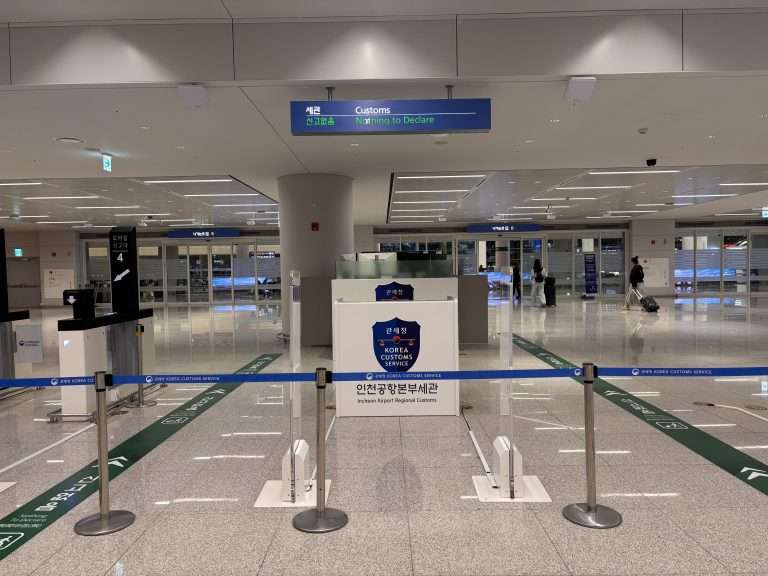
About that booth: my eSIM had an installation issue I couldn’t solve on my own. Instead of going back and forth through the app, I walked straight to the SKT counter at Incheon. The staff looked at it, couldn’t identify the problem either, and swapped me to a physical SIM on the spot.
What I paid through Trip.com was significantly cheaper than what SKT sells at their own airport booth, and I still walked away with the exact same service. That says a lot.
If you just need data, go with the data-only plan. If you want a local Korean number, get the SKT plan with the phone number. Just budget a few extra dollars for outgoing calls.

Trip.com eSIM China Review: The Great Firewall Test
China was our toughest test. I started with the 30GB plan, and it wasn’t enough.
Here’s why: the Great Firewall blocks Instagram, Gmail, and Google at the hotel WiFi level. Running a VPN over hotel WiFi was painfully slow, so I ended up skipping it entirely and using my phone data instead. That burns through data much faster than you’d expect.
We switched to the 50GB plan the second time around and that was the right call. The ChatGPT access built into the plan meant we could use it for translation and navigation without a separate VPN solution. If you’re heading to China, skip the 30GB and go straight to the 50GB plan. We cover everything else you need to download before landing in our China travel apps guide.
The eSIM itself worked great throughout. For a first test of a provider we’d never used before, it passed easily.
Get the 50GB plan. The firewall will push you off hotel WiFi and onto your phone data more than you expect.

Trip.com eSIM Vietnam Review: 30GB and a Refund Story
We each had 30GB for Vietnam and didn’t come close to using it all.
That said, Vietnam is where we had our one real issue on this trip, and I want to be upfront about it.
Ian’s eSIM worked perfectly the whole time. Mine worked fine for the first couple of days, then just stopped. Zero connection. Out of nowhere.
I contacted Trip.com support and they stayed with me through the whole thing. We went back and forth troubleshooting. When it became clear the issue wasn’t going to resolve, they refunded me $10.37 CAD for the days remaining on my plan. No argument, no runaround. They reimbursed exactly what I hadn’t used.
That matters. Budget pricing with customer service that follows through is not something we’ve always experienced with other providers. That refund built real trust.
30GB per person is generous. You can go smaller unless you’re streaming constantly.

Trip.com eSIM Malaysia Review: More Data Than We Needed
30GB per person, no connection issues.
In hindsight, it was more data than we needed. Malaysia’s heat had us indoors most days, and when you’re inside you’re almost always on WiFi. We barely made a dent in our data.
If you’re planning to explore constantly, the 30GB plan gives you room to breathe. If you’re spending more time in malls and cafes than out in the sun, you can go smaller and save a bit.
Think honestly about how much time you’ll spend outdoors before buying the 30GB plan.

Easy Enough for Non-Tech Travelers
Here is my honest bias: I really dislike physical SIM cards. Swapping the tiny tray, storing the card, and hoping I do not lose it is a hassle I am glad to skip. An eSIM removes all of that. Some people think an eSIM is hard to set up, so they avoid it, but it is as simple as pressing one button.
When my parents were planning their Europe trip, I told them to try Trip.com eSIM. They’re not tech people. I walked them through setup once over video call and that was it.
They loved it. Great connection, simple to use, and they saved a lot compared to what they’d been paying for international roaming on their Canadian plan. If it’s easy enough for them, it’s easy for anyone.
How to Set Up Your Trip.com eSIM
- Open the Trip.com app or website
- Search eSIM and select your destination
- Pick your plan (daily or total data package)
- Purchase and receive a QR code by email
- Go to your phone settings and scan the code
- Enable the eSIM when you land and activate it
If you have an iPhone running iOS 17.4 or later, you skip the QR code entirely. Trip.com installs the eSIM directly through the app with one tap.
Before you buy: Make sure your phone is unlocked and eSIM-compatible. On iPhone, go to Settings, General, About and look for “Available SIM.” On Android, go to Settings, Network, SIM card manager.
Installing is one tap: press Install and you are done. The single thing you set for every eSIM is data roaming. Switch it on when you land.
Samsung: Settings > Connections > Mobile networks > Data roaming, then set it to “All networks”.
iPhone: Settings > Cellular > tap your eSIM name > scroll to Data Roaming and turn it on.
That is the only step people trip on. Do it once per eSIM and you are online.
Turning on data roaming for a Trip.com eSIM: the exact path on Samsung and iPhone. It is the only setup step that matters.
Is Trip.com eSIM Worth It?
Yes. This Trip.com eSIM review covers six countries, two phones, and 175 days — and the answer is yes every time.
The prices are lower than what we paid with Airalo on our previous trips. Coverage held up everywhere we needed it. The one time something broke, customer service refunded us fairly and quickly. We’ve used it across every country on our 202-day Asia itinerary and we’re not switching.
It’s not a dedicated eSIM app, so the section lives inside a larger travel platform. Once you find it, the process is simple. After your first purchase you’ll know exactly where to go.
Stop overpaying for data. Pick your destination and grab your Trip.com eSIM:
Trip.com eSIM FAQ
Is the Trip.com eSIM legit?
Yes. When I first saw the price of Trip.com’s eSIM, I was skeptical. It looked too cheap to be reliable. But I already trusted Trip.com to book our hotels and tours, so I decided to trust it for data too, and I am glad I did. We used it for 175 days across six countries on two phones and it worked. It is a real product from Trip.com, one of the largest travel companies in the world, and the eSIM plans carry 4.5 to 4.7 out of 5 across more than 100,000 verified reviews, with over 1.5 million bookings on the China plan alone. When one plan failed to activate, support refunded the part we had not used. After switching from Airalo we have not looked back.
Does the Trip.com eSIM support hotspot and tethering?
Yes. Hotspot and tethering are listed in the plan inclusions and we shared data from one phone with no trouble. Heavy, continuous hotspot use can be slowed under the fair use policy, so it is built for phone data and light sharing, not for replacing home broadband.
Can I keep my normal phone number while using the eSIM?
Yes. The eSIM installs as a second line, so your physical SIM stays active for calls and texts on your home number while the eSIM handles data. Just switch off data roaming on your home SIM so your home carrier does not charge you.
Do these eSIMs include calls and texts?
No. Every plan we used is data only, with one exception: the South Korea SKT plan includes a local 010 phone number for calls and texts.
How do I activate it, and when does billing start?
Install the QR code before you fly, or install it in one tap inside the Trip.com app on newer iPhones. When you land, turn on data roaming for the eSIM. Billing starts when the eSIM connects, and daily plans run on 24 hour billing from that point.
Can I get a refund if I do not use it?
You can cancel for free before you activate, up to a day before the plan expires. After activation, refunds depend on the plan and situation. When one of ours failed to work, support refunded the part we had not used. Buy the length you will actually use to be safe.
Will it work in China without a VPN?
Yes. The China eSIM routes through a Hong Kong or Singapore IP address, so ChatGPT, WhatsApp, Google and Instagram work without a separate VPN. It is the main reason we tell people to sort their eSIM before landing. For the rest, see our China travel apps guide.
How do I know if my phone supports an eSIM?
You need an eSIM capable, carrier unlocked phone. On iPhone, dial *#06# and look for an EID number, or check the Apple eSIM support list. On Android, look under SIM manager in settings.
Watch Our Trip
We document everything from our 202-day Asia trip on YouTube. Subscribe to follow along, and find us on Instagram at @chasing.jenny for daily updates between posts.