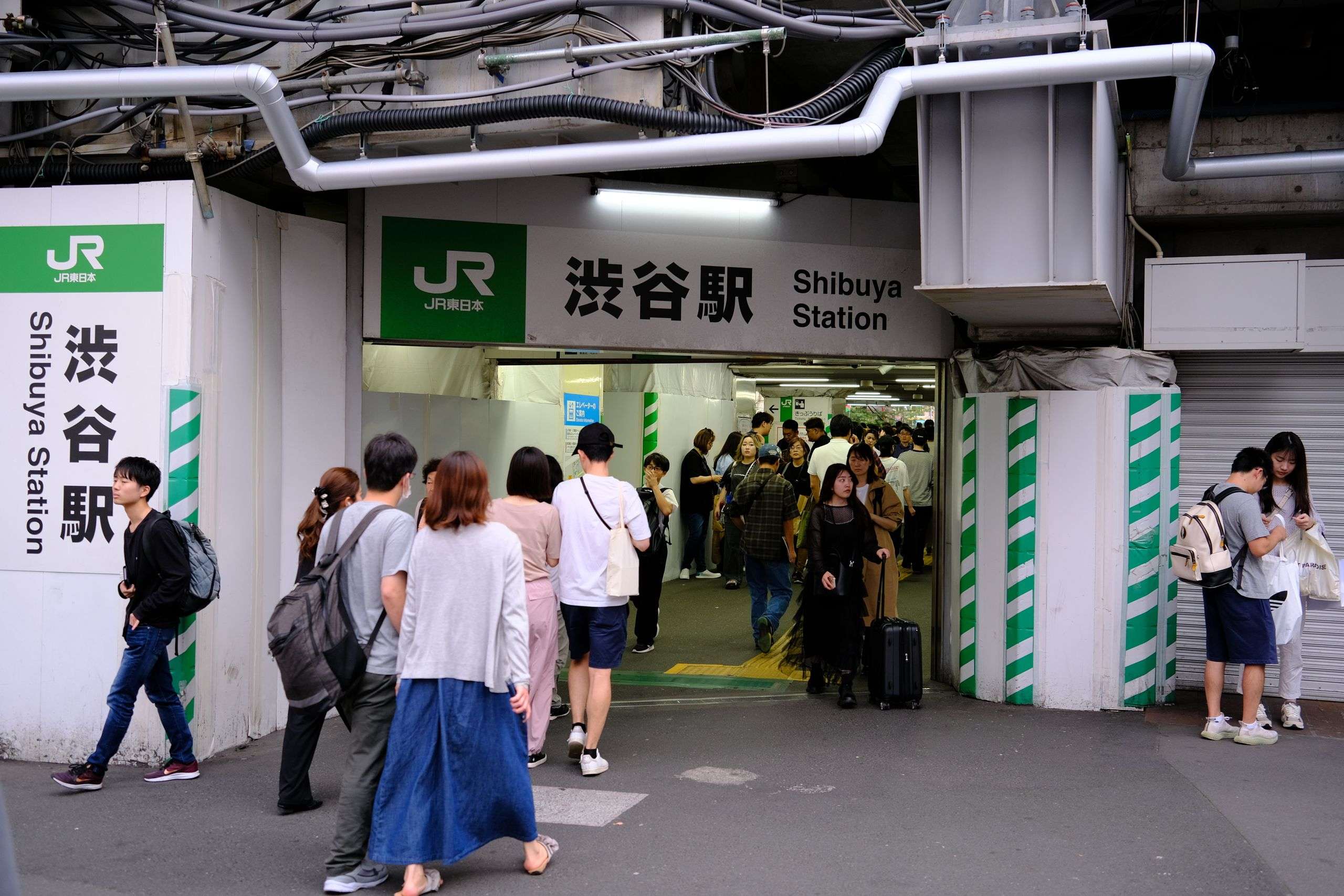
Japan IC Card Guide for Tourists: Suica vs PASMO vs ICOCA (What Actually Works in 2026)
Japan is the world’s most searched travel destination in 2026, pulling in a record 3.6 million visitors in March alone. And the single most common question we see from first-timers is always the same: which Japan IC card should I get — Suica, PASMO, or ICOCA?
We’ve used all three across Tokyo, Osaka, Kyoto, and beyond. This Japan IC card guide gives you the full picture: which card to get, how to add it to your phone, where to buy it at the airport, what it actually costs, and the one Shinkansen mistake almost every tourist makes.
In This Post
Quick Verdict: Which Japan IC Card Should You Get?
Short answer: If you’re flying into Tokyo, get a Welcome Suica — or add it to your iPhone before you even board the plane. If you land in Osaka or Kyoto, grab an ICOCA at the airport. All three work nationwide. The only difference is where you buy them.
What You’ll Find in This Japan IC Card Guide
- What a Japan IC card is and why you need one
- Suica vs PASMO vs ICOCA — the real differences
- What’s new in 2026 (Tourist PASMO is back)
- How to add your IC card to iPhone or Android
- Where to buy and exactly how much it costs
- Everything you can pay for with an IC card
- The Shinkansen trap (read this before you board)
- How to top up your balance
- What to do with leftover money
- FAQ: answers to every common question
What Is a Japan IC Card — and Do You Actually Need One?
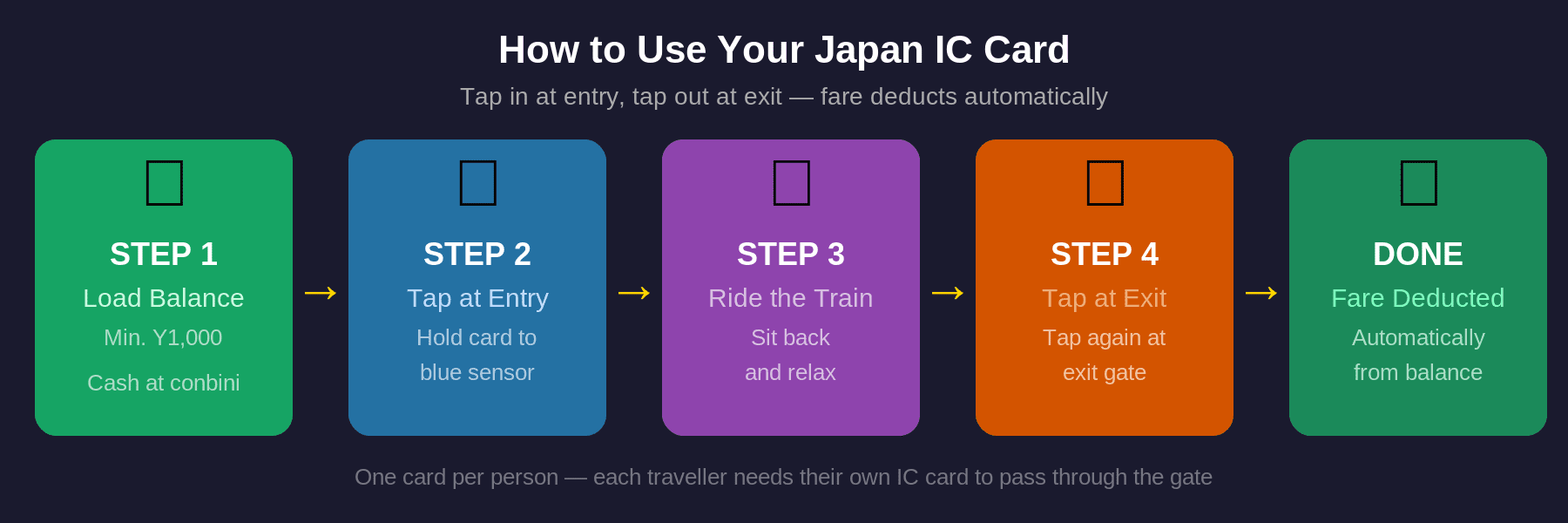
A Japan IC card (Integrated Circuit card) is a rechargeable contactless card that you tap at train gates and bus readers. Load money on it, tap in, tap out, and the fare comes off automatically. No tickets. No fare maps. No coins.
You need one. Not “nice to have” — you genuinely need one. Japan’s train network is the most efficient in the world, but buying individual tickets for every single ride is slow, confusing, and exhausting. You have to read the fare map, figure out the right amount, feed coins into a machine, and repeat this for every transfer. With a Japan IC card, you tap once to enter and once to exit. That’s it.
And it’s not just trains. In Japan, your IC card becomes your wallet for daily life. Convenience stores, vending machines, lockers, buses, some taxis, fast food — all of it runs on IC card tap. In Tokyo especially, you can go an entire day spending nothing except what comes off your card.
Suica vs PASMO vs ICOCA: What Is Actually Different
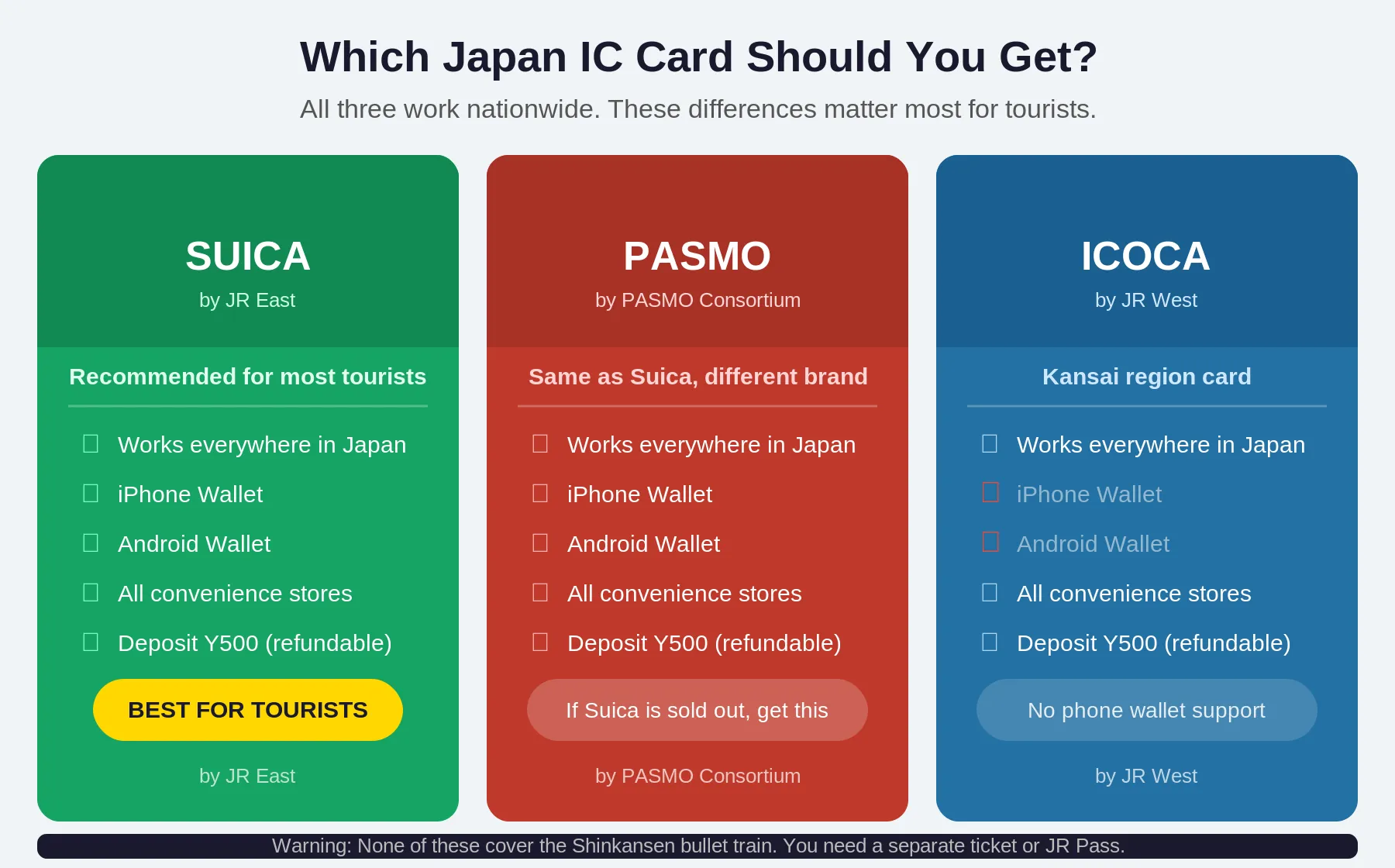
Here’s the honest answer: for tourists, almost nothing. All three cards belong to Japan’s national IC card interoperability network. A Suica bought in Tokyo works in Osaka. An ICOCA bought in Kyoto works in Tokyo. Anywhere you see the IC card logo — and you’ll see it on every gate, every bus reader, every convenience store checkout — all three work identically.
The differences are administrative. They come down to who issues them and where you buy them.
Suica — The One Most Tourists Get
Issued by JR East, Japan’s main railway operator for Tokyo and the Kanto region. Suica is the most widely recognized Japan IC card. The tourist version — Welcome Suica — is specifically designed for foreign visitors: no deposit, no fuss, available at the airports the moment you land.
Welcome Suica comes in two forms. The physical card (28-day validity from first use, available at Narita and Haneda) and the mobile app (180-day validity, iPhone only, available before you even leave home). More on both below.
PASMO — The Tokyo Alternative
Issued by Tokyo Metro and private rail operators. Works identically to Suica for tourists. The old tourist version (PASMO PASSPORT) was discontinued in October 2024 due to a semiconductor shortage, but as of May 20, 2026, Tourist PASMO launched as the replacement. 28-day validity, no deposit, available at Narita and Haneda airports.
If Welcome Suica is sold out when you arrive — which can happen during peak season — Tourist PASMO is the direct swap. Same price, same coverage, same experience.
ICOCA — For Kansai Arrivals
Issued by JR West for the Kansai region — Osaka, Kyoto, Nara, Kobe. If you’re flying into Kansai International Airport, ICOCA is what the JR ticket office sells. It requires a ¥500 deposit (refunded when you return the card before leaving Japan), and it works across all of Japan just as well as Suica or PASMO. Also compatible with Apple Pay.
2026 Updates You Need to Know
- Tourist PASMO is back. After PASMO PASSPORT ended in October 2024, the replacement — Tourist PASMO — launched May 20, 2026. No deposit, 28-day validity, airport-only.
- Standard Suica and PASMO are still scarce. The global semiconductor shortage means regular (non-tourist) IC cards are hard to find at machines. Get the tourist versions specifically.
- Welcome Suica Mobile is the best option for iPhone users in 2026. 180-day validity, load with any foreign Visa or Mastercard, works in Express Mode without unlocking your phone.
- Japan is on pace for 41 million visitors in 2026. Welcome Suica can sell out at peak times. iPhone users: set it up before you land.
- The Japan departure tax went up in 2026. Budget an extra ¥2,000 per person at the airport on your way out — that’s a separate cost from your IC card, covered in our Japan departure tax guide.
How to Add Your Japan IC Card to Your Phone
This is the question we get asked more than any other after “which card do I get.” Here’s the real answer by device — not the PR version, the actual one.
iPhone — The Easy Path
iPhone 8 and later supports Japan IC cards natively through Apple Wallet. You have two routes:
- Welcome Suica Mobile App (recommended). Download the JR East app before you board your flight. Issue a digital Suica, load money with your foreign Visa or Mastercard, and you’re set. 180-day validity. Works at every gate and reader identically to a physical card.
- Add directly in Apple Wallet. Open Wallet → tap + → search Suica or PASMO → add and load. Some foreign cards may not work for loading; if that happens, use the Welcome Suica app instead.
Once it’s in your Wallet, your iPhone uses Express Mode — no unlock needed. You hold your phone near the reader and the gate opens. It works on Apple Watch too. And here’s the best part: it works even when your battery is at 1% or the phone is powered off (for up to a few hours on iPhone).
Practical tip: Set it up at home, load ¥5,000, and walk out of the Narita Express gate without touching a machine. You’ll feel like a local on day one.
Download the apps: Suica app (App Store) | PASMO app (App Store) — or add Suica directly in Apple Wallet with no separate app required.
Android — The More Complicated Truth
Here’s the part most guides gloss over: standard Android NFC does not support Japanese IC cards.
Japan’s IC cards use FeliCa — a Sony-developed contactless technology that’s different from standard NFC. Only Android phones sold in Japan have the required FeliCa hardware (called Osaifu-Keitai) built in. If your phone was bought outside Japan — Samsung Galaxy, Google Pixel (international), OnePlus, anything else — you cannot add a Japan IC card to Google Pay.
Android users: get a physical Welcome Suica or Tourist PASMO at the airport. It takes two minutes at the machine. The physical card works at every reader identically to mobile — tap in, tap out, same experience.
Exception: Android phones sold in Japan (some Samsung and Google Pixel JP models) do have Osaifu-Keitai support. Check your Google Pay app — if you see an IC card option, you’re good.
Where to Buy Your Japan IC Card and How Much It Costs
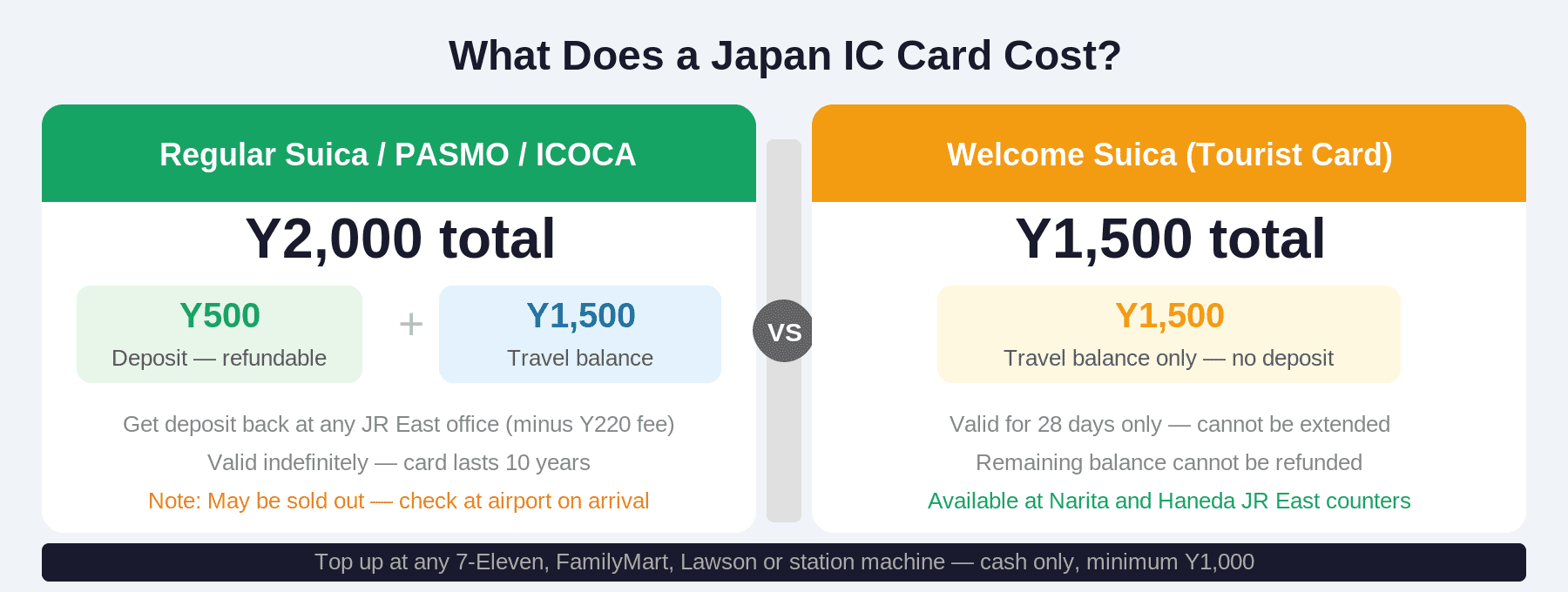
Welcome Suica (Physical Card)
- Where: JR East Travel Service Centers at Narita (all terminals), Haneda Terminal 3, plus Tokyo, Shinjuku, Shibuya, Ueno, Ikebukuro stations
- Cost: No deposit. Minimum load of ¥1,500 (~CAD $14 / ~USD $10). That’s your spendable balance.
- Validity: 28 days from first use
- Refunds: No refunds on leftover balance
Welcome Suica Mobile (iPhone App)
- Where: Download “Welcome Suica” on the App Store (iOS only)
- Cost: Load any amount with a foreign Visa or Mastercard
- Validity: 180 days from issue date
- Best for: iPhone users — this is the recommended option in 2026
Tourist PASMO (New in 2026)
- Where: Narita Airport and Haneda Airport (launched May 20, 2026)
- Cost: No deposit. Choose your load amount.
- Validity: 28 days from first use
- Works identically to Welcome Suica across all transit and stores
ICOCA
- Where: JR West ticket offices at Kansai International Airport, Osaka, Kyoto, Nara stations
- Cost: ¥500 deposit + your chosen load amount. Deposit refunded when you return card.
- Validity: 10 years from last use
- Works on Apple Pay: Yes
What Can You Pay For With a Japan IC Card?
Your Japan IC card covers way more than just the train. Once you’ve got one loaded, it becomes the easiest way to pay for almost everything in a Japanese city.
Transit
- All JR lines in Tokyo and nationwide
- Tokyo Metro and Toei Subway
- Private railways: Keio, Odakyu, Tokyu, Seibu, Hankyu, and more
- Local and highway buses in most major cities
- Airport limousine buses
- Some taxis (look for the IC card sticker on the window)

Convenience Stores and Shopping
This is where your Japan IC card really earns its keep.
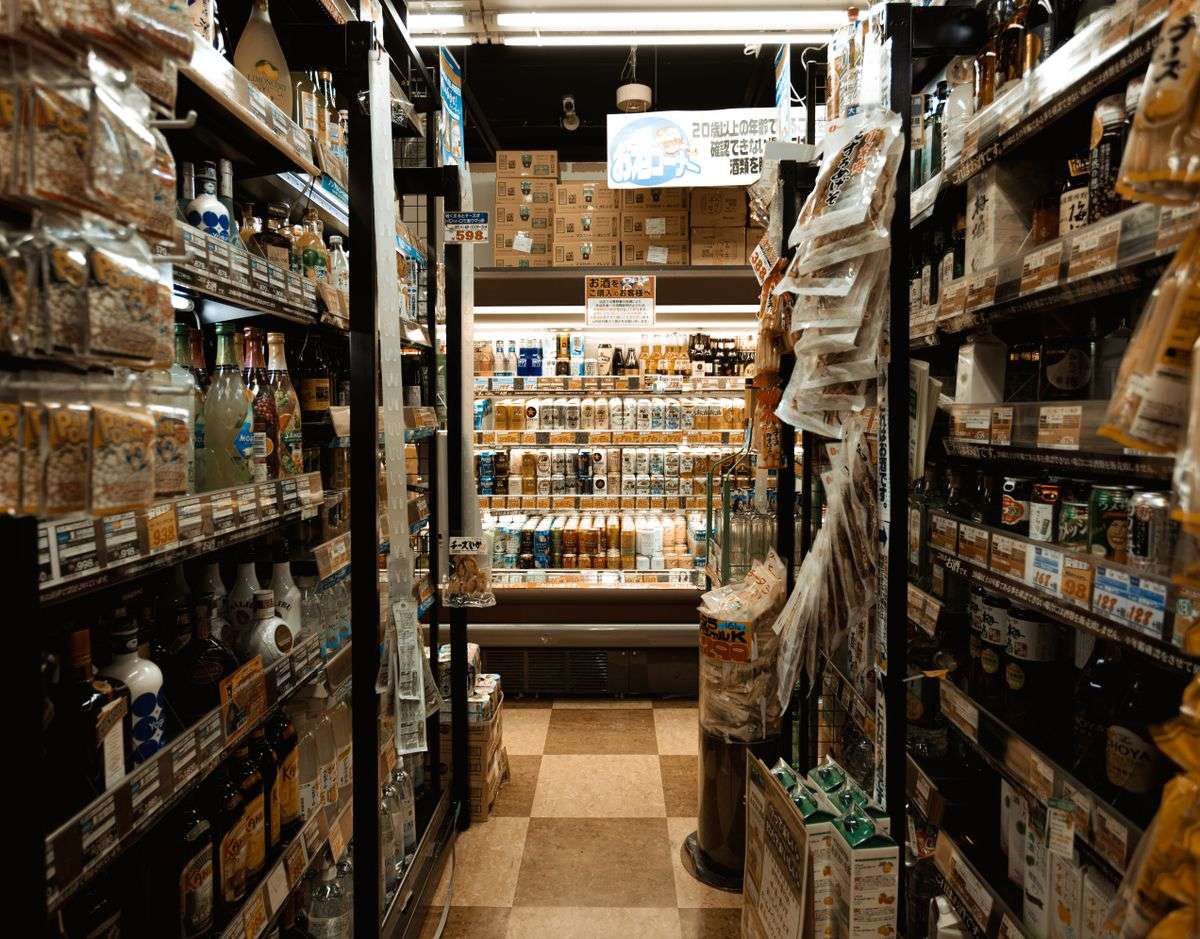
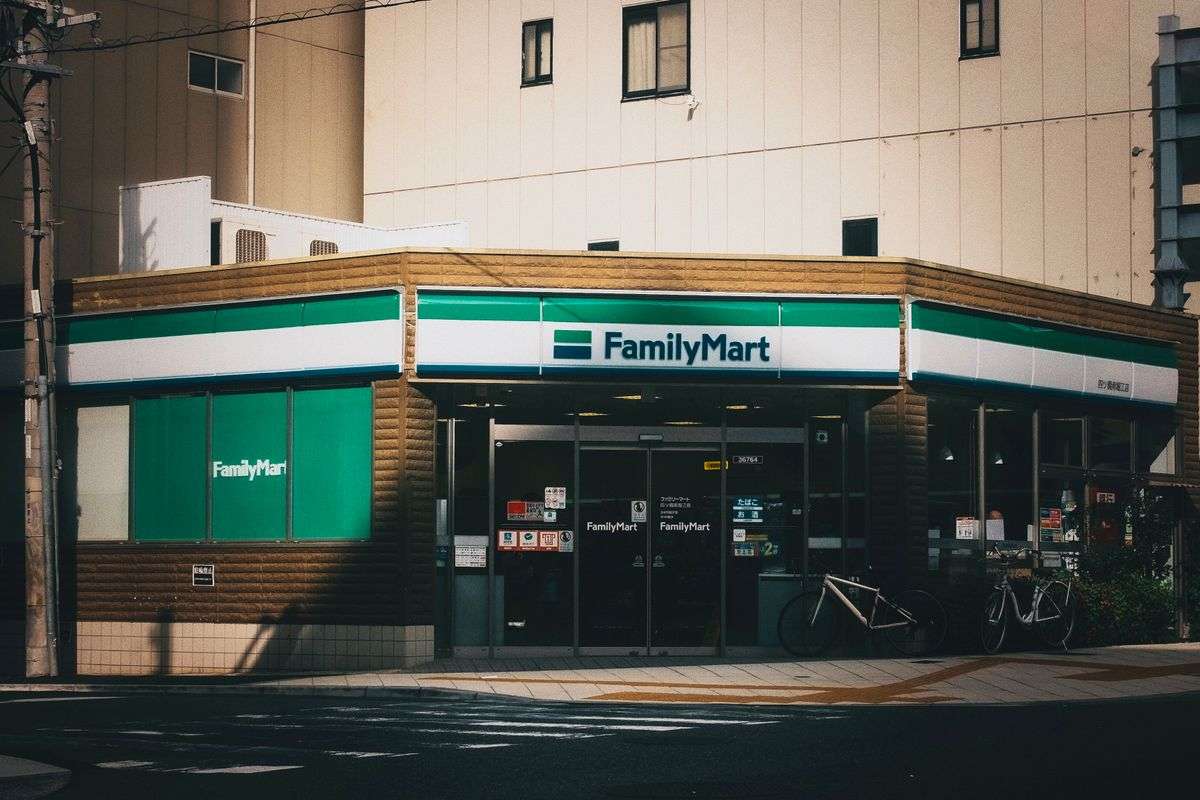
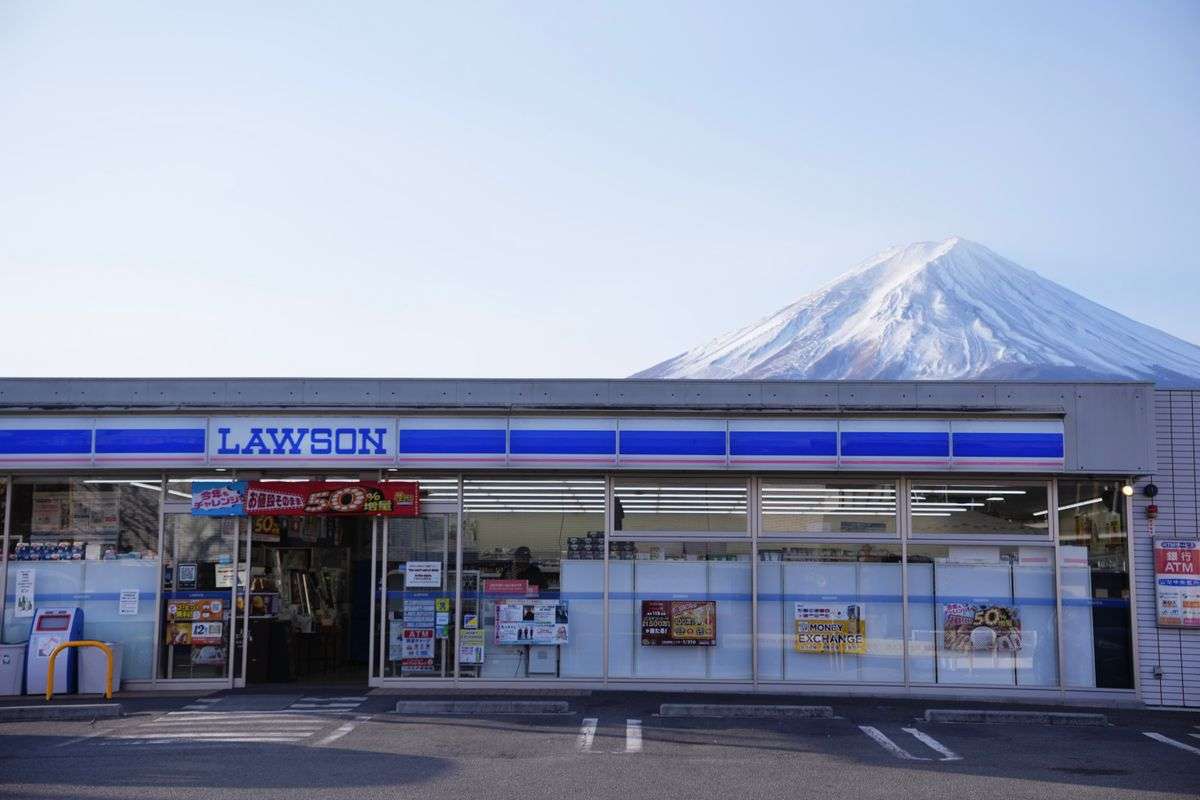
- Convenience stores: 7-Eleven, FamilyMart, Lawson — all accept IC card at the register
- Vending machines: Almost every modern vending machine has a Suica/IC reader. Coffee, water, snacks — tap to pay.
- Drug stores: Matsumoto Kiyoshi, Daikoku, Tsuruha
- Fast food: McDonald’s, Mos Burger, Matsuya, Yoshinoya, Coco Ichibanya
- Station shops: NewDays, KIOSK, and most platform kiosks
- Coin lockers at major stations — leave your luggage, pay with a tap
The Shinkansen Trap — Read This Before You Board
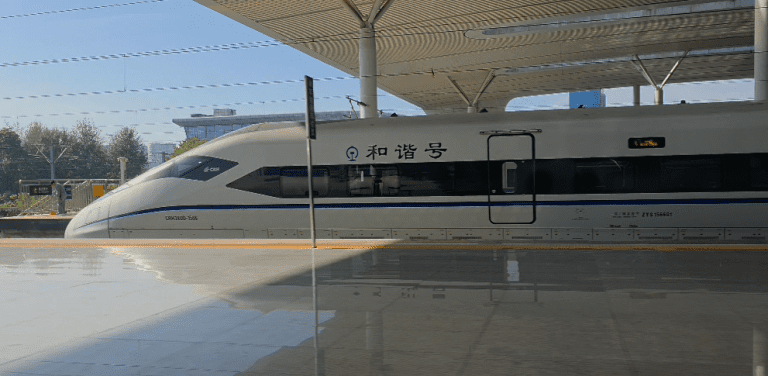
This catches almost every first-time visitor. You cannot use your Japan IC card balance to pay for Shinkansen (bullet train) tickets.
IC cards cover local and regional transit — subways, JR local lines, buses. They do not cover reserved Shinkansen services. If you walk up to a Shinkansen gate and tap your card, it won’t work.
Here’s how to actually buy Shinkansen tickets:
- At the station: Any JR ticket counter or green self-service machine at major stations. Bring your passport. Pay by cash or credit card. Takes about five minutes; machines have English.
- Online in advance: JR East’s Ekinet for Tohoku/Hokuriku routes. Smart-EX for Tokaido, Sanyo and Kyushu Shinkansen. Both have English interfaces and accept international cards.
- Through Klook: Book further in advance than the standard one-month window at stations. Good if you want to lock in peak-season travel.
If you’re planning multiple long Shinkansen trips, also read our Japan Rail Pass guide — we break down whether buying individual tickets or getting the pass actually saves you money in 2026.
How to Top Up Your Japan IC Card
Keep an eye on your balance — if it drops below the minimum fare, the gate will reject you mid-journey. Here’s how to top up:
- Station ticket machines: Every major station has machines with a “Charge / チャージ” option. Feed in cash (¥1,000 bills or coins). Most machines at tourist stations have English. Fastest option.
- Convenience stores: Hand your card to the cashier at 7-Eleven, FamilyMart, or Lawson. Give them cash and say the amount you want added. Simple and works anywhere in Japan.
- Welcome Suica App (iPhone): Tap to add any amount directly from your linked foreign credit card. No cash needed, no machine needed. This is why mobile is the better option for iPhone users.
Maximum balance: ¥20,000. Minimum top-up at machines: ¥1,000. You can check your balance at any ticket machine or on the Welcome Suica app.
What Happens to Leftover Balance
- Welcome Suica (physical): No refunds. 28-day validity. Load what you’ll spend — not more.
- Welcome Suica (app): 180-day validity. Much more time to plan and use it up.
- Tourist PASMO: No refunds. 28-day validity.
- ICOCA: Return the card at a JR West ticket office before you leave Japan. Get your ¥500 deposit back, plus any remaining balance, minus a ¥220 handling fee.
Smart move before your last day: Check your balance at any station machine and spend it down at convenience stores. ¥2,000 in leftover credit at 7-Eleven is still ¥2,000 worth of Japanese Kit Kats, instant ramen, and cold milk coffee.
Full Comparison: All Four Japan IC Card Options
Tips We Wish Someone Had Told Us
- iPhone users: set up mobile Suica before you board your flight. The app works in the air. Walk off the plane, through customs, and tap the Narita Express gate without stopping at a machine.
- Load at least ¥3,000–¥5,000 to start. Tokyo fares run ¥170–¥400+ per ride. A full day of transit plus konbini spending can easily hit ¥2,000–¥3,000.
- One beep = good. Multiple beeps + red light = problem. Usually low balance. Top up before it hits zero — gates will reject you if your remaining balance can’t cover the fare.
- IC card works on buses too. On most routes: tap when you board, tap when you exit. Watch for “整理券” (numbered tickets) on some rural buses — those work differently.
- Spend down at airport konbini before you fly home. Narita and Haneda both have 7-Eleven and FamilyMart airside. Burn through your balance on snacks before the gate.
- Your card works at vending machines everywhere. Japan has about 5.5 million vending machines. Almost all modern ones have an IC reader. Hot canned coffee at 2am from a random street machine hits different when you just tap your phone.
Frequently Asked Questions About Japan IC Cards
Can I use my Japan IC card on the Shinkansen?
No. IC cards cover local and regional transit only. Shinkansen tickets must be purchased separately at a JR ticket counter, a self-service machine, or online through Smart-EX or Ekinet. Your IC card balance cannot pay for Shinkansen fares.
How much should I load onto my Japan IC card?
Load ¥3,000–¥5,000 to start. Tokyo metro fares range from ¥170 to over ¥400 per ride depending on distance. A full day including transfers, convenience store stops, and a bus ride can run ¥2,000–¥3,000 easily. Top up as needed — you can add money at any station machine or convenience store.
Does Suica work in Osaka and Kyoto?
Yes. All major Japan IC cards — Suica, PASMO, ICOCA — work nationwide on the same interoperable network. A Suica bought in Tokyo works on the Osaka metro, Kyoto buses, Hiroshima streetcars, Fukuoka subway, and everywhere else that accepts IC cards.
Can I add a Suica card to Google Pay?
Only if your Android phone was sold in Japan and includes Osaifu-Keitai (FeliCa) hardware. Standard Android phones sold outside Japan — including most Samsung Galaxy, Google Pixel (international), and other models — do not support Japanese IC cards via Google Pay. Android users travelling from overseas should get a physical Welcome Suica or Tourist PASMO at the airport.
What happens if my IC card runs out of balance at the gate?
The gate will flash red and beep repeatedly. Don’t panic. Look for a “精算機” (fare adjustment machine) near the exit gates — usually green or yellow. Feed in cash or use another IC card to top up enough to clear the fare. Then tap out normally.
Can I get a refund on my Welcome Suica balance?
No. Welcome Suica (physical and mobile) does not offer refunds. ICOCA does — return the card at a JR West office and you’ll get your ¥500 deposit back plus any remaining balance, minus a ¥220 handling fee. Plan your Welcome Suica load carefully, and spend leftovers at convenience stores before you fly home.
Is it worth getting the Japan Rail Pass instead of an IC card?
You need both for different things. Your Japan IC card handles all local transit — subways, buses, short JR hops, convenience stores. The Japan Rail Pass covers Shinkansen and long-distance JR travel. Whether the Rail Pass is worth buying depends entirely on your itinerary. We break it down in detail in our Japan Rail Pass guide.
Where can I buy a Suica at Narita Airport?
JR East Travel Service Centers at all three Narita terminals. They’re located in the arrivals hall, before you get to ground transport. Look for the JR East counter — staff speak English. There are also ticket vending machines that sell Welcome Suica if the counter has a queue.
Final Verdict: Which Japan IC Card Should You Get?
iPhone user flying into Tokyo: Download the Welcome Suica app before you board. Load ¥5,000. Walk through the Narita Express gate on arrival without touching a machine. This is the cleanest Japan transit setup available to any tourist right now.
Android user flying into Tokyo: Grab a physical Welcome Suica or Tourist PASMO at the airport arrivals hall. Takes two minutes. Load ¥5,000. Done.
Flying into Osaka or Kyoto: ICOCA from the JR West ticket office at Kansai Airport. Pay the ¥500 deposit, load what you need, return it before you leave for the refund.
The Suica vs PASMO vs ICOCA debate is less important than people make it. They all work everywhere. The right card is the one you can actually buy when you land. What matters is having one loaded before you leave the airport, keeping your balance above ¥1,000, and knowing that Shinkansen tickets are always a separate purchase.
Get your card sorted, and Japan’s transit system will be the best thing about your trip.
Planning the Rest of Your Japan Trip
Once your IC card is sorted, here’s what to tackle next. For data from the moment you land, read our eSIM guide — we’ve tested options across Asia and know which ones work at Japanese transit speeds. If you’re doing multiple long-distance train journeys, check the Japan Rail Pass guide before buying anything. And if you want to save money on shopping, our Japan tourist discount coupons guide covers the free digital coupons most visitors never know exist.