
Best eSIM for China 2026: Beat the Great Firewall
Read this before you fly. It will help you pick the best eSIM for China and land connected.
Finding the best eSIM for China is harder than for anywhere else in Asia. The Great Firewall blocks Google, Gmail, Instagram, and WhatsApp, and most travel eSIMs leave you fighting a slow VPN the whole trip. We tested one that beat the Firewall without a VPN at all. Here is what worked, what it cost, and how to set it up so you land connected. We ran it ourselves for 50 days across China, our first stop on a 202-day trip through Asia.
It roams on China Mobile through a foreign network, so it slips past the Great Firewall with no VPN. We paid $36.46 CAD (~$26.48 USD) for 50GB over 30 days. Google, Gmail, and even ChatGPT worked. Skip the 30GB plan: the Firewall pushes you onto phone data fast.
Which apps work in China, and which are blocked
The best eSIM for China gets you past the Great Firewall. Most apps you use every day are blocked in China, but on our roaming data they worked anyway, because your traffic leaves the country on a foreign network. Here is the split we saw.
Apps we checked ourselves on the China eSIM: Google, Maps, Gmail, WhatsApp, Instagram, and ChatGPT. Everything else routes the same way.
What is in this guide
- Does an eSIM work in China?
- The Great Firewall and the VPN myth
- Which apps work in China
- Our China test: what actually happened
- Best eSIM for China: plans and prices
- How to set it up before you fly
- Set up WeChat Pay and Alipay
- What still needs a VPN
- China eSIM FAQ
Does an eSIM work in China?
China was our first stop on a 202-day trip across Asia, and we stayed 50 days. We ran the eSIM in Guangzhou, Chengdu, Chongqing, Shanghai, Hangzhou, and Xiamen, city and village. It worked flawlessly in every one.
Yes, and better than most people expect. The trick is how a roaming eSIM connects. A plan like Trip.com’s routes your data through a carrier outside mainland China, so your traffic exits the country before the Great Firewall filters it. That means Google Maps, Gmail, and Instagram load on your phone data even though they are blocked on the hotel WiFi next to you.
This is the part most guides get wrong. You do not need a VPN to make a good China eSIM work. The roaming route does the job for you. We ran the numbers on our own trip and the full Trip.com eSIM review backs it up across six countries.
Your eSIM works, but the hotel WiFi does not. The Firewall blocks it at the source. So you lean on your eSIM data far more than in other countries, which is why plan size matters here.
The Great Firewall and the VPN myth
The Great Firewall is China’s national system for blocking foreign sites and apps. On local WiFi and local SIM cards, it cuts off Google, Gmail, YouTube, Instagram, Facebook, WhatsApp, and more. That is real, and it catches a lot of travelers off guard on day one.
The myth is that a VPN is the only way around it. VPNs get throttled and blocked in China, and running one over slow hotel WiFi was painful when we tried it. A roaming eSIM sidesteps the whole problem because your data never touches the local filter. Here is what worked and what stayed blocked on our trip.
Same apps, blocked on hotel WiFi. The roaming eSIM is why they still work.
Our China test: what actually happened
China was our toughest test on the whole trip. I started with the 30GB plan, and it was not enough. The Firewall pushed us off hotel WiFi and onto phone data far more than we expected, and the data drained fast.
So we moved to the 50GB plan on China Mobile. That kept us connected even when the hotel WiFi was dead behind the Firewall. Google worked. Gmail worked. ChatGPT worked, which surprised us. Instagram loaded on the China eSIM while it stayed blocked on the WiFi. For a country that fights you at every turn, that is a win.

Go 50GB, not 30GB. The eSIM beats the Firewall without a VPN, but the Firewall makes you burn data faster than anywhere else in Asia. The bigger plan is the best eSIM for China if you want it to last.
Best eSIM for China: plans and prices
Here is what we paid and how the two Trip.com China plans compare. Prices are per phone, in CAD with USD in brackets.
Both run on China Mobile at 5G, which is why it is our best eSIM for China pick. Trip.com undercut the dedicated eSIM brands we compared against, which is the same pattern we saw in every country in our Trip.com eSIM review.
Why we picked Trip.com over Airalo
Airalo is the eSIM most people know, and we used it for years. We switched. Across six countries we compared side by side, Trip.com ran 20 to 40% cheaper for the same data. Japan cost $17.29 CAD (~$13 USD) on Trip.com against about $36 CAD on Airalo. Both beat the Great Firewall the same way, so for China we stuck with the cheaper one. That is how we landed on our best eSIM for China pick.
China eSIM vs local SIM, pocket WiFi, and VPN
You have four ways to get online in China. Only one of them let us land, turn on our phones, and use Google straight away. Here is how they stack up from our own trip.
The pattern is clear. A local SIM gives you cheap data you cannot use for the apps you actually want. Pocket WiFi is a second gadget to babysit. A VPN fights the Firewall on every connection. The roaming eSIM was the only option that felt normal, the way data feels in any other country.

Which apps worked for us in China
On the Trip.com eSIM, these worked on our phone data even while the hotel WiFi blocked them: Google search, Google Maps, Gmail, Instagram, WhatsApp, and ChatGPT. Local WiFi and a local SIM blocked all of them. That gap is the whole reason the best eSIM for China is a roaming plan, not a local one.
One habit helped a lot: download offline maps and translation before you fly, and save your bookings as screenshots. Even a strong eSIM has dead spots on a subway or a fast train, and offline copies keep you moving.
How to set up your China eSIM before you fly
Set it up at home on WiFi. Do not wait until you land, because the app store and activation pages you need can be blocked once you are behind the Firewall. The steps are simple.

Buy and install on home WiFi, then flip it on after you land. Trying to install inside China means fighting the Firewall for the very pages you need.
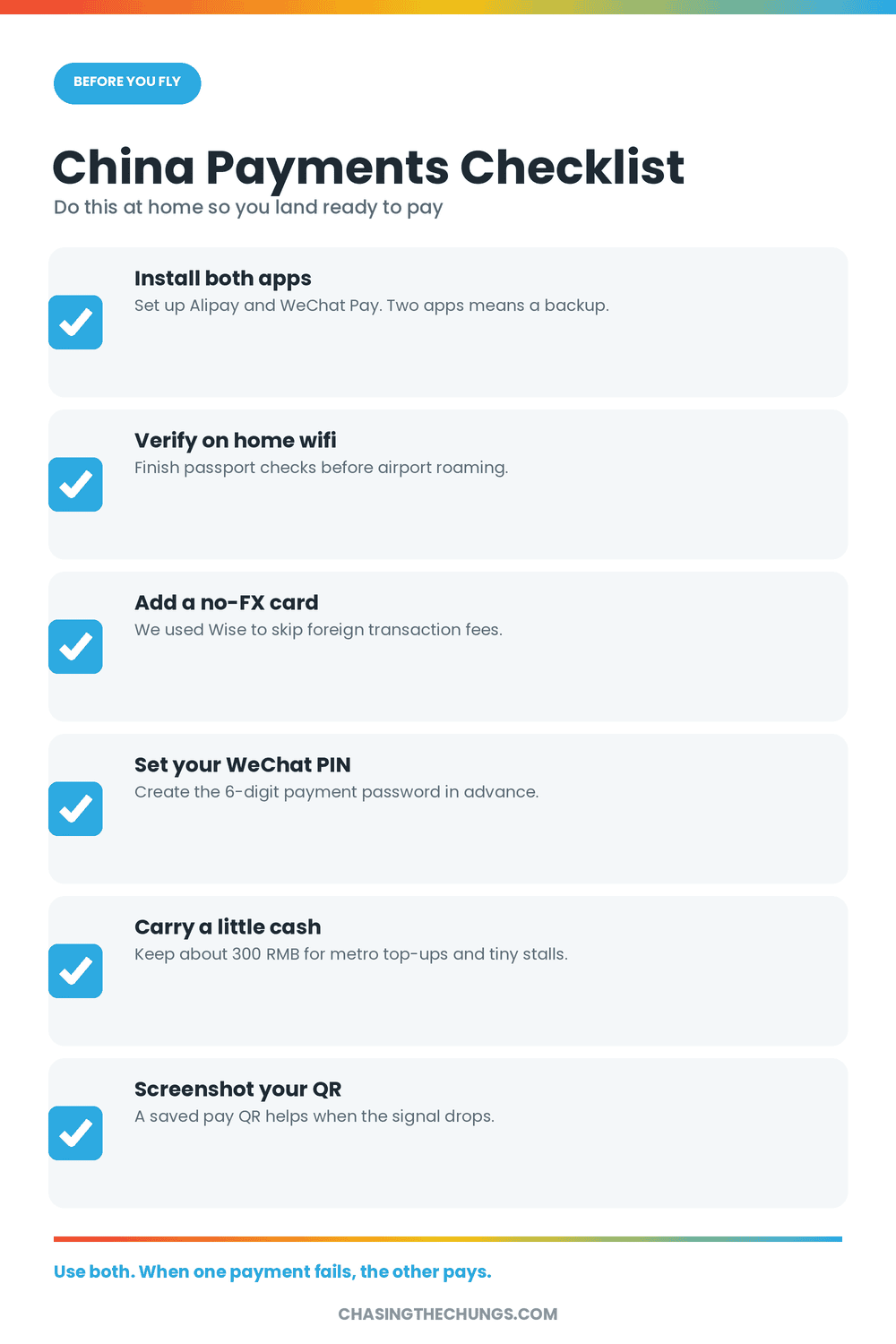
Set up WeChat Pay and Alipay before you land
China runs on QR codes. Cash gets you funny looks and foreign cards get declined almost everywhere. We set up WeChat Pay and Alipay before the trip and paid for everything with our phones, from street noodles to metro tickets. Your eSIM is what makes them work the second you land, because both apps need data to verify and pay.
Add a foreign Visa or Mastercard to Alipay and WeChat while you still have easy internet at home. Verification is slower once you are behind the Firewall.
What still needs a VPN
For most travelers, the roaming eSIM covers everything. Google, maps, email, messaging, and social all worked on our data. You would only reach for a VPN if you connect to local WiFi a lot and still need blocked sites on that connection, or if your company forces a VPN for work.
Our honest take: pack a free VPN as a backup, but plan to run on the China eSIM. It was faster and steadier than any VPN over hotel WiFi.
Is a China eSIM worth it?
Break down the price and it is easy math. At $36.46 CAD (~$26.48 USD) for 50GB over 30 days, the plan costs about $1.20 CAD a day. For that you skip the passport queue for a local SIM, skip carrying a pocket WiFi, and skip paying for a VPN that may not even work. One blocked Google Maps search in a taxi at night pays for the whole thing.

Compare it to home roaming, where many carriers charge $12 to $15 CAD a day in China, and the China eSIM is not close. That is the same value gap we found in every country in our full review. For China specifically, the roaming route is worth more than the data, because it is the only reason your normal apps work at all. That mix of speed and access is what makes it the best eSIM for China.
Does my phone support an eSIM?
Most phones from the last few years do. iPhone XS and newer, recent Samsung Galaxy S and Pixel models all take eSIMs. Your phone also needs to be carrier unlocked. Check both before you buy.
Does the China eSIM work in Shanghai, Chengdu, and other cities?
Yes. We used it for 50 days across Guangzhou, Chengdu, Chongqing, Shanghai, Hangzhou, and Xiamen, all on China Mobile 5G. Service stayed steady in every city and only dropped in the usual dead spots like deep subway tunnels. That reach is a big reason it ranks as the best eSIM for China.
China eSIM FAQ
Does WhatsApp work in China on an eSIM?
Yes, on a roaming eSIM. WhatsApp is blocked on local WiFi and local SIMs, but our Trip.com data routed around the Firewall, so it worked on our phones.
Do I need a VPN with a China eSIM?
Usually no. A good roaming eSIM already gets you past the Great Firewall. Keep a free VPN as backup, but we ran the whole trip on the China eSIM.
How much data do I need for China?
More than you think. The Firewall kills hotel WiFi, so you run on eSIM data all day. Our 30GB ran out. Go 50GB.
Does Google Maps work in China?
Yes. On our roaming data, Google Maps, Gmail, and Google search all loaded even though they are blocked locally.
Should I set up the China eSIM before or after I land?
Before. Set up the best eSIM for China on home WiFi, then switch it on when you arrive. The pages you need to activate can be blocked inside China.
Can I use a Hong Kong or Macau eSIM in mainland China?
Sometimes, but do not assume it. Some Hong Kong and Macau eSIMs roam onto mainland networks and slip the Firewall the same way ours did. Many are data-only for Hong Kong and Macau and will not connect once you cross into the mainland. Check the coverage list says “China mainland” before you buy. We used a mainland-roaming plan so there was nothing to guess.
Is it legal to use a foreign eSIM in China?
Yes. Using an international roaming eSIM as a traveler is normal and legal. VPNs are the grey area, since China restricts unapproved ones, though tourists using them are essentially never targeted. The roaming eSIM sidesteps the whole question because it needs no VPN to reach blocked sites.
Can I hotspot or tether off a China eSIM?
Yes. We tethered our laptop off the phone and it stayed connected past the Firewall, same as the phone itself. Check your plan allows hotspot first (the Trip.com China plan did) and keep an eye on your data, because tethering burns through it fast.
Do I really need WeChat Pay and Alipay in China?
Pretty much. We paid for almost everything with them, from food to transport, and rarely touched cash. Set both up before you go, then let your eSIM keep them running the moment you land.
Is a China eSIM fast enough?
For us, yes. On our data the best eSIM for China handled maps, messaging, social, and video without the crawl you get fighting a VPN. Speeds dip in remote areas, but in the cities it kept up with everything we threw at it.
The best eSIM for China, in one line
Get the Trip.com 50GB plan, install it before you fly, and skip the VPN stress. It beat the Great Firewall for us at a price the dedicated brands could not match. For the full country-by-country breakdown, read our Trip.com eSIM review, and if China is one stop on a bigger trip, our Vietnam entry guide covers the next border.
Questions about your route? Find us on Instagram @chasing.jenny. The Great Firewall is real, but staying connected in China is easier than the internet makes it sound. Learn how the Great Firewall works, then travel around it.